
Download MediaTab – Media File Information, Format Support, Codec Details, Bitrate, Resolution, Metatags
Overview
MediaTab is a specialized utility designed to enhance the way users interact with audio and video files on their devices. Once installed, it adds a dedicated tab to the file properties menu, enabling quick access to detailed technical information about media files. This functionality is particularly valuable for users who need to verify or manage file specifications such as codec type, bitrate, resolution, and embedded metatags. The app serves as a practical tool for content creators, digital archivists, and anyone involved in media management who requires accurate, real-time data without relying on third-party software.
By integrating directly into the operating system’s file properties interface, MediaTab streamlines the process of inspecting media files, eliminating the need for complex workflows or external tools. Its core purpose is to simplify access to metadata and technical attributes, helping users ensure compatibility, troubleshoot playback issues, or maintain consistent file standards across libraries. The app is especially useful in environments where media quality and format consistency are critical, such as video editing, broadcasting, or digital preservation.
Although the developer did not provide additional technical details, the application has been available since October 14, 2011, indicating a long-standing presence in the utility space. This longevity suggests a stable and reliable performance over time. MediaTab is designed for users who value precision and transparency in media file handling, offering a straightforward solution for those who need to analyze or document media specifications efficiently.
Key Features & Functionality
- Extensive Format Support: MediaTab supports a broad range of audio and video formats, including MP4, AVI, and FLAC. This compatibility allows users to inspect nearly any media file without requiring format conversion or additional software.
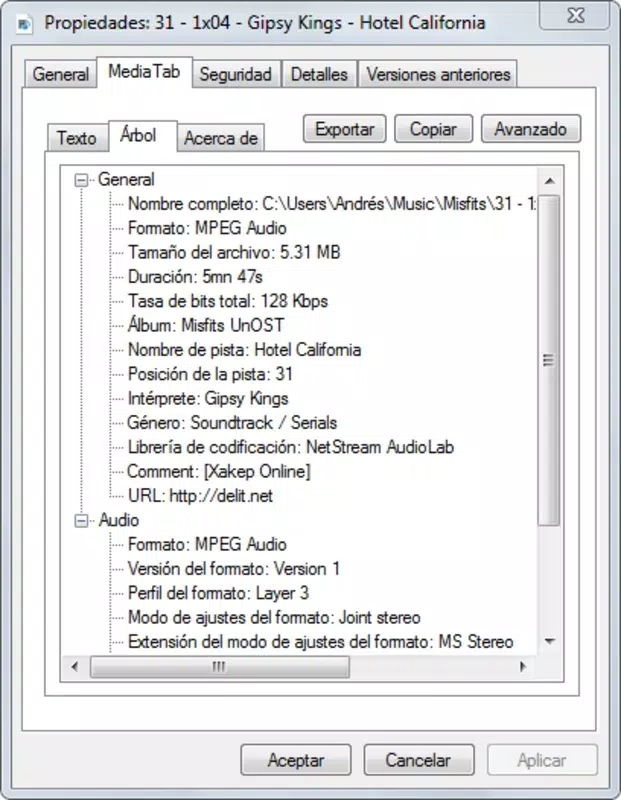
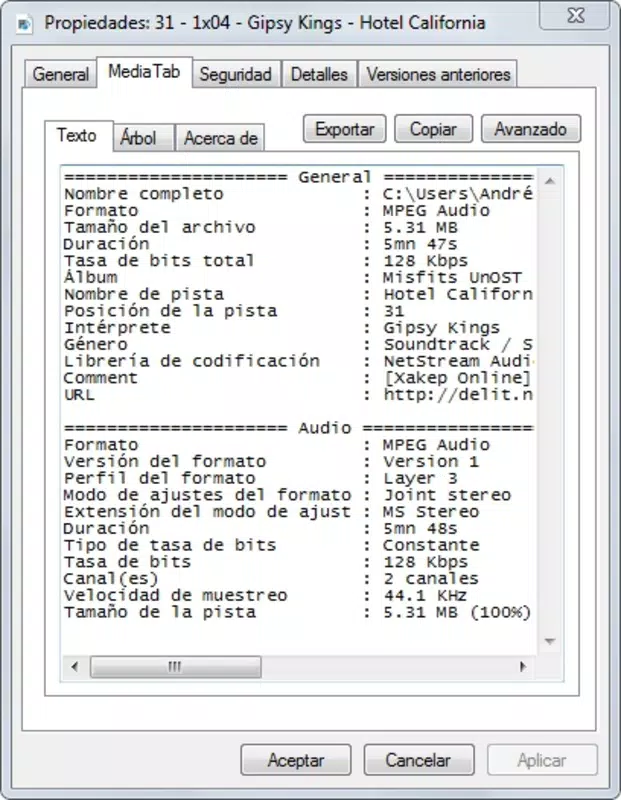
- Detailed File Information: The app provides in-depth technical data such as codec type, bitrate, resolution, frame rate, duration, and embedded metatags. This information is crucial for verifying file integrity and ensuring optimal playback across devices.
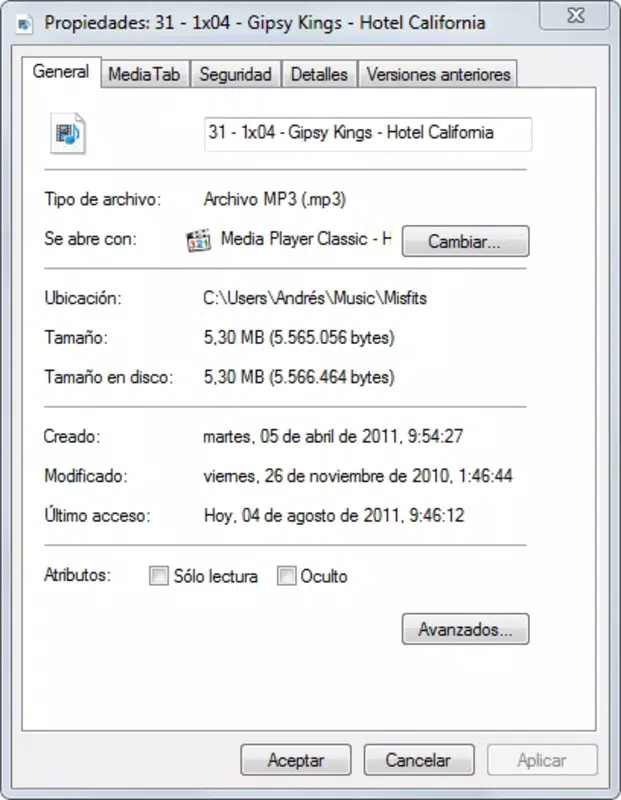
- Seamless Windows Integration: MediaTab enhances the native Windows file explorer by adding a new tab to the properties window. This integration requires no configuration and works immediately after installation, improving workflow efficiency.
- Data Export Options: Users can export the collected media information to TXT or HTML formats. This feature supports documentation, archiving, and sharing of file specifications, making it ideal for organizational or collaborative projects.
- User-Friendly Interface: The application features a clean, minimal interface that prioritizes accessibility. Even users with limited technical experience can navigate the tool and retrieve detailed file data with ease.
For example, a video editor can use MediaTab to verify that a source file uses the correct codec and bitrate before importing it into a project. Similarly, a digital archivist might export metadata from hundreds of files to create a centralized inventory. These real-world applications demonstrate the app’s practical value in both professional and personal contexts.
Interface, UX & Performance
MediaTab presents a straightforward and uncluttered interface that aligns with the Windows file explorer’s design language. The new tab added to the file properties window is intuitive and consistent with native system behavior, minimizing the learning curve for new users. Navigation is direct: users simply right-click a media file, select Properties, and access the MediaTab section to view technical details.
The application operates efficiently without consuming significant system resources. Although the developer did not list formal performance metrics, the app’s lightweight nature suggests minimal impact on system speed or memory usage. It responds promptly to user actions, with information loading almost instantaneously after selecting a file.
Responsiveness is maintained across various device categories, including desktops and laptops running compatible Windows versions. Stability is implied by the app’s long-standing release history, though specific crash reports or update frequency were not disclosed. The overall user experience is smooth and focused, emphasizing utility over visual flair.
Platform Compatibility & Technical Requirements
MediaTab is designed for Windows operating systems. The specific platform version and minimum OS requirements were not listed by the developer. Similarly, no information was provided regarding file size, installation package type, or compatibility with newer Windows releases beyond the initial 2011 launch.
Given its release date, users should verify compatibility with current Windows versions before installation. The developer did not specify whether the app supports 64-bit systems or modern Windows features such as Windows 10 or Windows 11. Compatibility information was not fully disclosed, so users are advised to test the application in their environment.
Pros and Cons
Pros
- Efficiently displays detailed technical information for audio and video files.
- Seamlessly integrates into the Windows file properties menu without additional setup.
- Supports a wide variety of media formats, enhancing usability across different file types.
- Offers export functionality for TXT and HTML, aiding in documentation and archiving.
- Simple, clean interface suitable for users of all technical skill levels.
Cons
- Specific system requirements and compatibility details were not provided.
- No information on update frequency or future development plans.
- Limited to Windows platform; no availability for Android or iOS.
- May not be fully compatible with the latest Windows versions due to its 2011 release date.
- Lack of cloud integration or cross-device synchronization.
FAQ
Is MediaTab safe to install?
Yes, MediaTab is a legitimate utility that operates within the standard Windows environment. It does not require administrative privileges beyond standard file access and does not install additional software or adware.
Can I use MediaTab on Windows 10 or Windows 11?
While the app was released in 2011, it may function on newer Windows versions. However, the developer did not confirm compatibility with Windows 10 or Windows 11. Users should test the application in their environment.
Does MediaTab work on Android or iOS?
No. MediaTab is exclusively designed for Windows and is not available on Android or iOS platforms.
What file formats does MediaTab support?
MediaTab supports a wide range of formats, including MP4, AVI, and FLAC. The exact list of supported formats was not disclosed by the developer.
Can I export media data from MediaTab?
Yes. Users can export file information to TXT or HTML files, enabling easy documentation, sharing, or archiving of media specifications.
Final Thoughts
MediaTab remains a reliable and focused utility for users who need quick access to detailed media file information. Its seamless integration into Windows, combined with robust format support and export capabilities, makes it a valuable tool for professionals and enthusiasts alike. While its age raises compatibility concerns, its core functionality continues to serve a niche but important need in digital media management.
For anyone working with audio or video files and requiring precise technical data, MediaTab offers a no-frills, effective solution. Its simplicity and direct approach set it apart from more complex media analysis tools.
Download MediaTab now


